
“We publish constantly. AI cites our competitors’ pages.”
The Sources view lists the domains and URLs AI cites for your prompts, whether each one is you, a competitor or a third party, and whether you appear there.
Answer engines lean on a handful of sources. The Sources view shows which sites AI cites for your prompts, and the agent drafts the answer page, comparison or outreach pitch. You review and ship.
The free check needs no account · Plans from $79/month
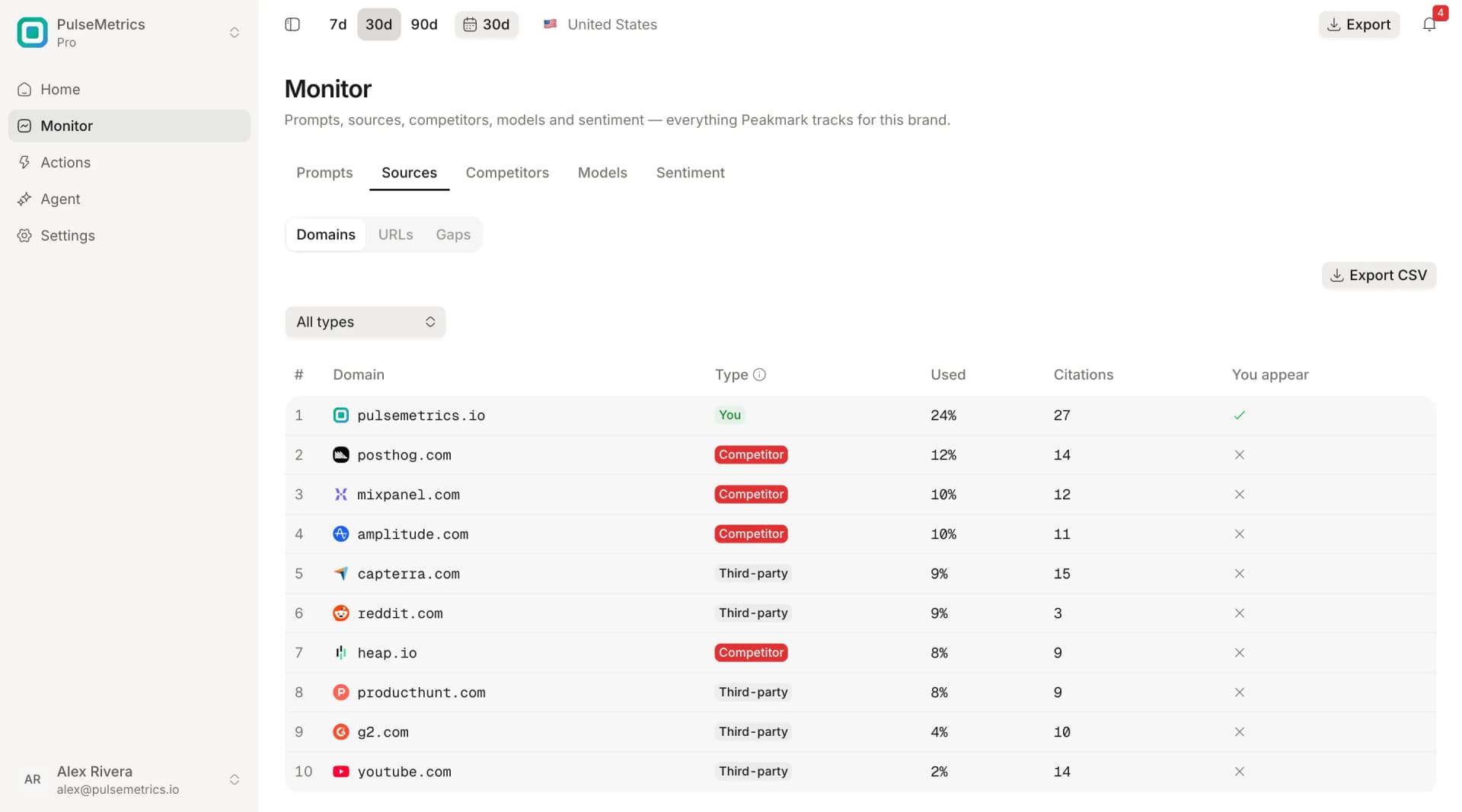
The Sources view lists the domains and URLs AI cites for your prompts, whether each one is you, a competitor or a third party, and whether you appear there.
The agent drafts a comparison page or an answer page from the prompts you’re losing and your live data. You review, edit and publish it. A draft helps; it doesn’t decide what AI cites.
Sources shows which review sites and communities feed the answers. The agent drafts an outreach pitch to a site AI already cites, and you review it and send it yourself.
Know which sites AI cites, then draft what to publish or send.
The domains and URLs AI cites for your prompts, tagged as you, a competitor or a third party, with how often each is used and whether you appear. A Gaps view shows where you’re missing.
The agent drafts an answer page or a comparison page for a prompt you’re losing, written from your live data. You review and ship.
For a site AI already cites and that doesn’t mention you, the agent drafts the pitch: why that site, one piece of proof, and what you’re asking for. You review it.
Every daily run records which sources the answers cite, and alerts tell you when a competitor appears or you lose a citation.
12%
of links cited by ChatGPT, Gemini and Copilot appear in Google’s top 10 results for the same prompt
Ahrefs, 2025
Every daily run keeps the sources AI cites. Open the Sources view to see which sites they are and where you’re missing.
Ask for an answer page, a comparison or an outreach pitch. The agent works from your live data, and only when you ask.
You review and ship the drafts yourself. The daily runs keep recording the sources and answers, so you can see whether they change.
Monitoring, evidence and actions: every piece feeds the next.
Your first measurement usually lands within minutes of subscribing. Then open the Sources view and ask the agent for a draft.
Get started